Description
A virtual laboratory bench is software for a personal computer that allows you to study the design and operating principle of various instruments and technological installations by interacting with their realistic interactive 3D models.
An interactive virtual model is an opportunity to easily study phenomena invisible to the naked eye, and devices, mechanisms and systems that are physically inaccessible to an ordinary schoolchild or student and even many experienced specialists.
All studied models are placed in virtual interiors that replicate real laboratories, workshops and other production facilities, through which the student can move freely.
The virtual stand contains a section with theoretical material, detailed visual models-animations of phenomena, as well as diagrams and drawings of the devices being studied.
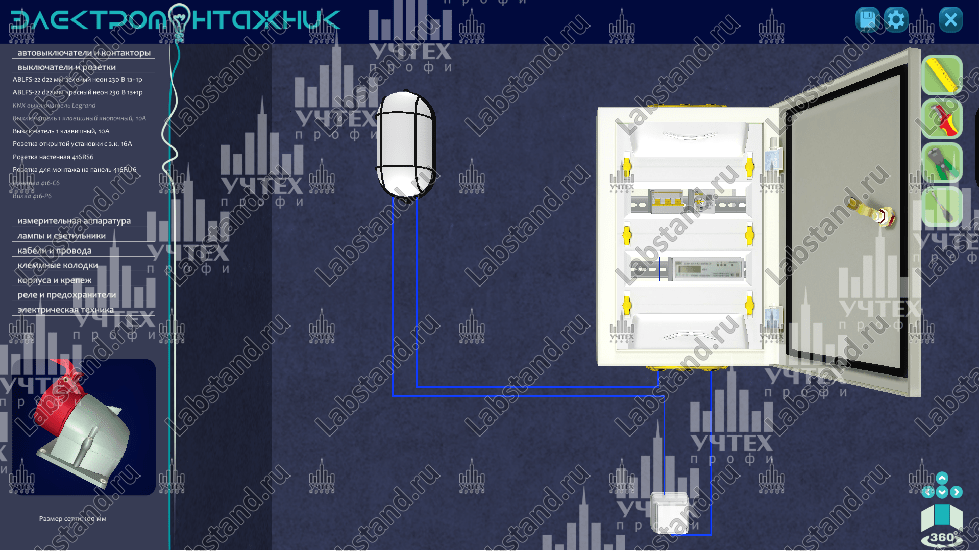
The virtual simulator “Electrical Installation” allows you to learn how to read blueprints, assemble various electrical circuits for lighting, automation, alarms, video surveillance, and troubleshoot problems. As part of working with the virtual complex, it is possible to assemble ready-made circuits, their hybrids, or select a free editing mode. During operation, it is possible to use most standard electrical installation and electrical products, machines, contactors, sockets, cable ducts, corrugations, wires, inputs, panels, cabinets, lighting fixtures, actuators, sensors, relays, fuses, cables, devices, etc. d. This virtual complex will be indispensable in the training of electricians and electricians in the repair and maintenance of electrical equipment and electrical networks of civil and industrial buildings by secondary vocational educational institutions. In addition, the virtual training complex serves to test the student’s knowledge and skills and preparation for various competitions; the algorithms, standards and structure of the complex fully comply with the technical description of the “Electrical installation work” competency of the WorldSkills Russia competition.
Minimum computer technical specifications required to use VLAN:
Processor: 2-core, 1.4 GHz
— RAM: 4 GB, DDR3
— Video card: integrated – HD Graphics 620 or discrete – GeForce GT 730
— At least 700 MB of free hard disk space.
— Monitor with a resolution of 1920×1080 pixels
— Availability of DVD drive, free USB connector, keyboard and mouse
— Operating system: Windows 7 or later, Administrator rights, support for DirectX 12.0 and OpenGL 4.6
Peculiarities:
· Use of existing PCs in an educational institution.
· Perpetual license.
· Free updates as new versions are released.
· Can be adapted for use with virtual reality glasses. (On request)